Bilibili Multi Viewer & Grid Browser: How to Watch Multiple Videos at Once
Watching several Bilibili videos at the same time can be difficult when every video has to be opened in a separate browser tab. A multi-view or grid-based setup can keep multiple pages organized on one screen.
A Bilibili Multi Viewer can be useful when you need to keep several Bilibili video pages visible at the same time. Instead of repeatedly moving between browser tabs, a grid-style workspace can arrange different pages into separate viewing areas.
This can be useful for viewers who compare videos, follow several creators, monitor different pages or simply want a more organized browser workspace. The exact experience depends on the browser, device, internet connection and the particular multi-view solution being used.
Want to get started?
Jump directly to the practical setup steps and build a simple multi-video workspace.
See the Setup StepsWhat Is Bilibili Multi Viewer?
A Bilibili Multi Viewer is a browser-based viewing concept designed to keep multiple Bilibili video pages open in one workspace.
Normally, if you want to watch several videos, you may open every video in a different browser tab. When the number of tabs increases, repeatedly switching between them can become inconvenient.
A multi-view arrangement provides separate viewing areas so that several pages can remain visible together. For example, four video pages can be arranged in a 2×2 layout.
The exact controls vary between tools. Some solutions may provide different grid sizes, resizing controls or other browser-based features, while others may have a more basic interface.
What Is a Grid Browser?

A Grid Browser is a browser interface that organizes several web pages or video windows into rows and columns rather than showing only one page at a time.
For example, a 2×2 grid can display four pages. A larger grid can hold more windows, but each individual viewing area becomes smaller. The practical limit depends on your screen size, browser performance and computer hardware.
How Does a Bilibili Multi Viewer Work?
The basic idea behind a multi-viewer is straightforward. You provide the Bilibili pages you want to view, and the selected tool places those pages into separate viewing areas.
Depending on the solution, you may be able to select two, four, six or more viewing areas. Some interfaces may also allow individual windows to be resized or rearranged.
However, Bilibili pages may not always behave exactly like a normal browser tab when displayed inside another interface. Browser restrictions or website rules can affect embedded viewing.
How to Use Bilibili Multi Viewer & Grid Browser
1. Open Your Browser
Start with a modern browser on a desktop or laptop. A larger display generally provides a better experience because several video areas need enough space to remain readable.
2. Open the Bilibili Videos
Find the Bilibili videos or pages you want to view. If the selected multi-view solution requires manual URL input, copy the URL of each video.
3. Add the Video Pages to the Grid
If your selected tool provides URL fields, enter the Bilibili video links into the available fields. The tool may then load the pages into separate viewing areas.
4. Select a Grid Layout
Start with a smaller layout. A 2×2 grid can be a practical choice on many desktop screens because each video still has a reasonable amount of space.
5. Adjust the Viewing Areas
If resizing is supported, give more space to the video that matters most. A balanced layout is usually easier to follow than a very large grid with tiny video windows.
6. Check Browser and Device Performance
If the browser becomes slow after adding several videos, reduce the number of active windows, lower playback quality or close unnecessary applications.
Compare Videos Without Constant Tab Switching
A practical grid layout can keep related pages visible together.
View the Main BenefitsWhy Use a Bilibili Multi Viewer?
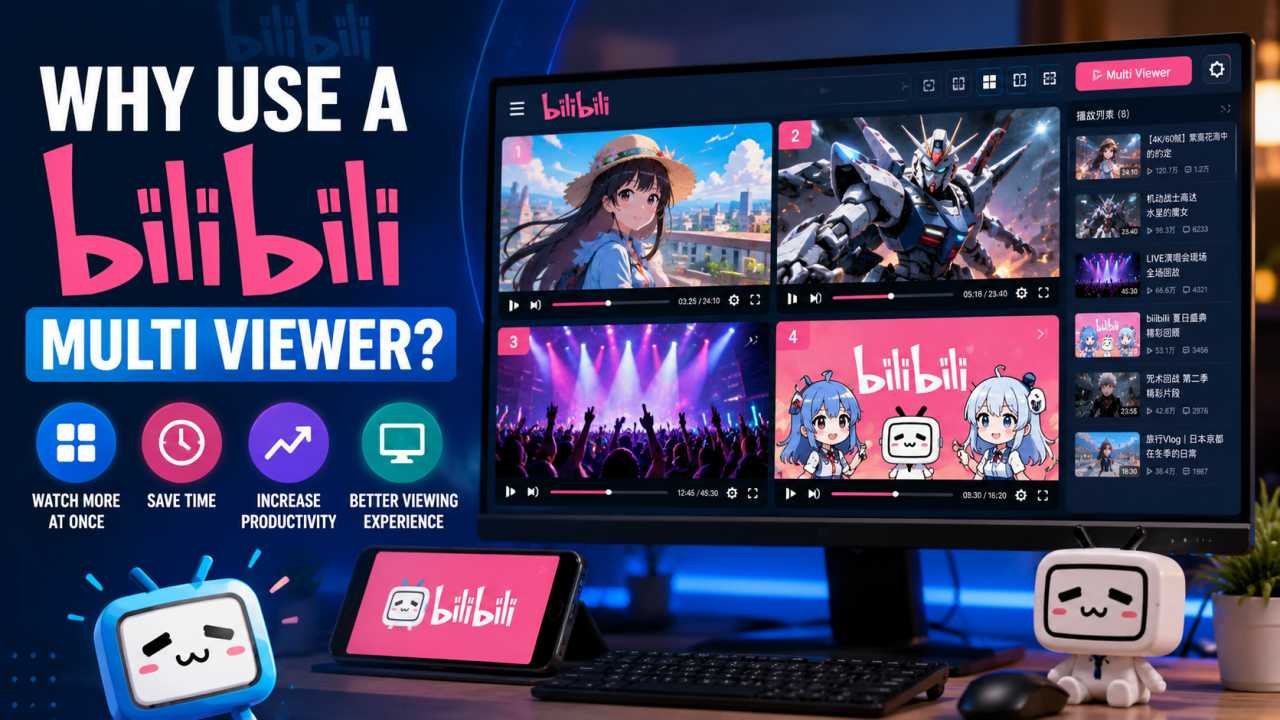
Monitor Multiple Videos
A multi-viewer can make it easier to keep an eye on several videos without constantly changing tabs.
Save Time Switching Between Tabs
When several pages remain visible together, you can reduce the amount of repeated tab switching required to compare or monitor content.
Compare Different Videos
A multi-view setup can be useful when researching a topic and comparing information from several relevant videos.
Keep Your Browser Workspace Organized
Instead of filling the browser with many open tabs, a grid-style workspace can provide a more structured way to keep multiple pages available.
Bilibili Multi Viewer for Desktop Users
Desktop computers are generally better suited to multi-view browsing because they provide more screen space. A larger monitor can keep several video windows visible without making every viewing area too small.
If you regularly use a multi-view setup, a higher screen resolution or an additional monitor may provide more working space. However, the number of videos you can comfortably view still depends on your hardware and the quality of the streams.
There is no single hardware requirement for every multi-viewer. Playing several high-resolution videos can consume more CPU, memory and GPU resources than watching one video.
Can You Use Bilibili Multi Viewer on Mobile?
Multi-view browsing is more difficult on smartphones because the screen is relatively small. Even if a browser-based solution works on a phone, several simultaneous viewing areas may become too small for comfortable use.
For simple video watching, the standard Bilibili mobile experience may be more convenient. For multiple simultaneous pages, a tablet, laptop, desktop or larger external display is usually more practical.
The responsive layout of this article is designed to remain readable on small screens, with flexible images, buttons and content blocks that adapt to the available width.
Does Multi Viewing Use More Internet Data?
Yes. Watching multiple videos simultaneously can use considerably more internet data than watching one video because every active stream requires its own data connection.
The exact amount depends on several factors, including:
- Video resolution
- Playback duration
- Compression and streaming quality
- Number of active videos
- Whether videos are continuously playing
If your internet connection has limited bandwidth, consider lowering video quality or reducing the number of simultaneous streams.
Does Bilibili Multi Viewer Require a Powerful Computer?
The hardware requirement depends on how many videos you want to display and the resolution of those videos. One video normally requires fewer resources than several high-resolution videos playing at the same time.
If your browser becomes slow, try reducing the number of video windows. Lowering playback quality and closing unnecessary tabs or applications can also help free system resources.
Is a Bilibili Grid Browser Safe to Use?
Safety depends on the particular tool or browser solution. Before using any third-party browser tool, check where it comes from, what permissions it requests and what information it collects.
- Be careful if a tool requests your Bilibili password without a clear reason.
- Review browser permissions before installing an extension.
- Avoid unknown software that promises unnecessary additional features.
- Check the service’s privacy information and terms.
- Remove browser extensions you no longer use.
Bilibili Multi Viewer and Account Security
Your account security should remain a priority when using third-party services. Do not share your Bilibili password with an unknown tool simply because it claims to provide additional viewing features.
If the service requires an account connection, review how the login process works and what access is being requested. Browser permissions should also be reviewed before installing extensions.
Common Problems With Multi-View Browsing
Some Pages Do Not Load
Some pages may not load correctly inside embedded viewing areas. This can happen because websites can restrict how their pages are displayed in other browser contexts.
The Browser Becomes Slow
Several videos playing at the same time can put additional load on your computer. Reducing the number of video windows can help.
Internet Speed Becomes a Problem
Multiple streams can require more bandwidth. If playback becomes unstable, try lowering video quality or reducing the number of active videos.
The Video Area Is Too Small
A large grid may technically fit many pages but can make each video difficult to follow. Start with a smaller grid and increase the number of windows only when your screen can handle it comfortably.
How to Improve Your Multi-Viewer Experience
- Start with a small number of videos.
- Try a 2×2 layout before using a larger grid.
- Use a stable internet connection.
- Keep your browser updated.
- Lower video quality if your system becomes slow.
- Close unnecessary browser tabs and applications.
- Choose the grid size according to your monitor.
- Use only legitimate and reputable viewing solutions.
Bilibili Multi Viewer vs. Multiple Browser Tabs
| Feature | Multiple Tabs | Multi-View Grid |
|---|---|---|
| Setup | Simple and familiar | Depends on the selected tool |
| Multiple pages visible | Usually requires switching tabs | Can show several areas together |
| Screen space | One active page at a time | Several viewing areas share the screen |
| Resource usage | Depends on open pages and playback | Can increase when several videos play simultaneously |
Separate browser tabs are simple and do not require a specialized layout. A grid, on the other hand, can keep multiple pages visible together, which may be more convenient for monitoring or comparison.
Is Bilibili Multi Viewer Free?
The answer depends on the particular tool or browser solution. Some web-based solutions may be available without a separate payment, while other software or browser extensions may offer additional features through different plans.
Before using a third-party service, check its current terms, privacy information and available features. Do not assume that every tool with a similar name provides the same functionality.
Is Multi Viewing Allowed on Bilibili?
The ability to display multiple pages does not automatically mean that every use case is permitted. Users should follow Bilibili’s current terms, content policies and technical requirements when accessing the platform.
A multi-view setup should be used for normal and legitimate viewing activities. Users should not use third-party tools to bypass platform restrictions, interfere with platform operations or violate applicable policies.
What About Video Embeds?
The original source material for this article does not provide a specific Bilibili video URL or an embed code. Because of that, this page does not insert a made-up video embed.
A real Bilibili video URL or official embed code can be placed here when one is available.
Frequently Asked Questions
Final Words
A Bilibili Multi Viewer & Grid Browser can provide a more organized way to keep multiple Bilibili video pages available on one screen. Instead of constantly switching between several browser tabs, a grid-based workspace can place selected pages next to one another.
The experience will depend on the browser, computer hardware, internet connection and the specific multi-viewing solution. Starting with a small number of video windows and a practical grid layout is a sensible way to test the setup.
If your main goal is to compare videos, monitor several pages or keep your browser workspace organized, a grid-based viewing setup can be useful when it is compatible with the pages you want to access.